Activity Stream | Smart Data Generator Documentation
Activity Stream documentation.
Overview
The Activity Stream displays a complete history of all generation actions performed in Smart Data Generator.
The history is divided into three independent views:
- Admins Activity Stream – actions executed manually by Jira admins
- Users Activity Stream – actions executed by Jira users outside the administration interface
- Rovo Activity Stream – actions executed automatically by the Rovo Data Generator agent
Each entry provides detailed metadata, enabling administrators to track, audit, and review data creation activity.
Admins Activity Stream
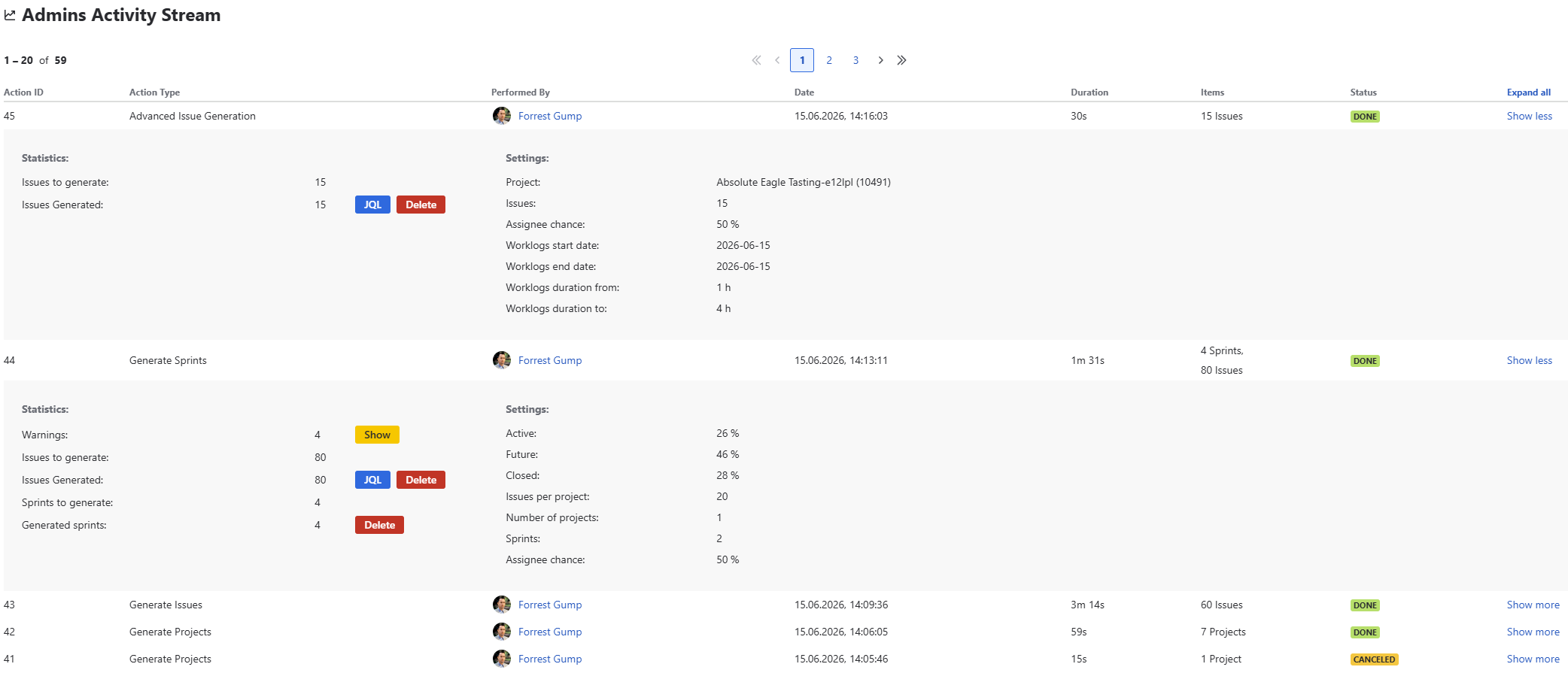
This view lists all generation actions initiated by Jira users from the Smart Data Generator admin page interface.
Columns
| Column | Description |
|---|---|
| Action ID | Unique identifier of the generation action |
| Action Type | Type of generation (Projects, Issues, Sprints, Advanced Issues) |
| Performed By | The Jira user who executed the action |
| Date | Timestamp of when the action was executed |
| Duration | How long the generation process took |
| Items | Number of objects created during the action |
| Status | DONE / IN PROGRESS / CANCELED / ABORTED / ERROR / ERROR LIMIT |
Each entry can be expanded to preview what was generated and is linked to deletion actions (delete by action).
Users Activity Stream
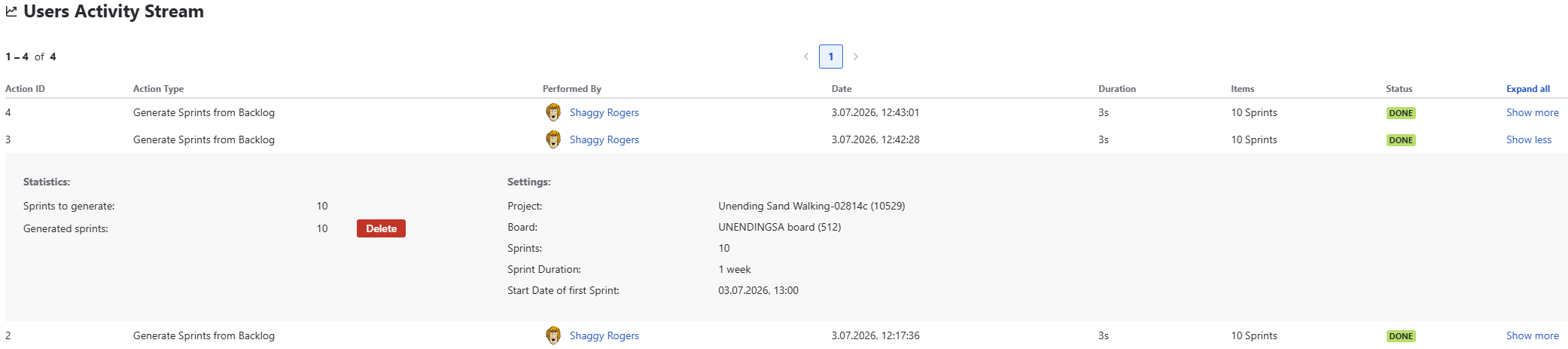
This view lists all generation actions initiated outside of the Smart Data Generator administration page.
Columns
| Column | Description |
|---|---|
| Action ID | Unique identifier of the generation action |
| Action Type | Type of generation (Generate Sprints from Backlog) |
| Performed By | The Jira user who executed the action |
| Date | Timestamp of when the action was executed |
| Duration | How long the generation process took |
| Items | Number of objects created during the action |
| Status | DONE / IN PROGRESS / CANCELED / ABORTED / ERROR / ERROR LIMIT |
Each entry can be expanded to preview what was generated and is linked to deletion actions (delete by action).
 {.img-center .img-full}
Rovo Activity Stream
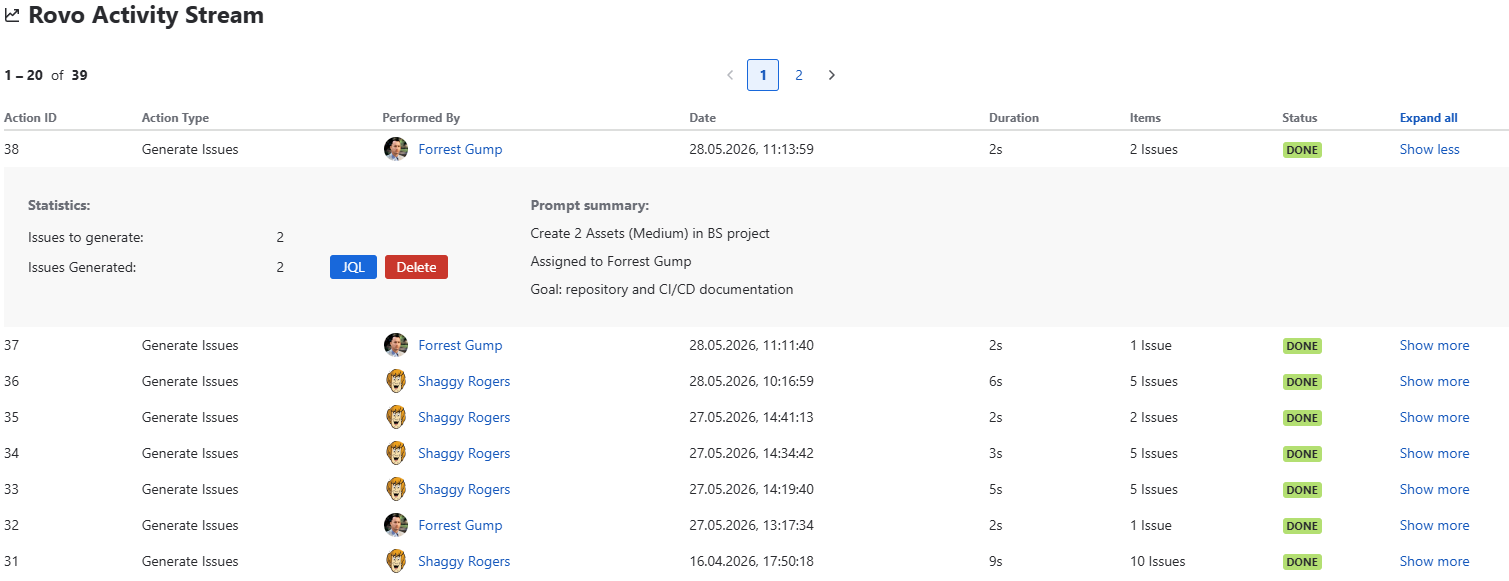
The Rovo Activity Stream displays all completed generation operations performed through the Rovo Data Generator.
Unlike user-driven generators, Rovo saves only actions that complete successfully.
Rovo actions appear separately to distinguish automated generation from manual user actions.
Rovo is limited to generating up to 20 issues per request, and each request appears as a dedicated entry in this stream.
Important Behavior
- Only finished (successful) prompts are stored.
- If Rovo encounters an error (invalid prompt, missing permissions, unsupported request),
the user is informed immediately during conversation, and
the action is not recorded in the Activity Stream.
Columns
| Column | Description |
|---|---|
| Action ID | Unique identifier of the Rovo execution |
| Action Type | Always Generate Issues, as Rovo currently supports only issue generation |
| Performed By | The Jira user who submitted the prompt to Rovo |
| Date | Timestamp of when Rovo executed the request |
| Duration | Execution time of the generated batch |
| Items | Number of issues created by Rovo |
| Status | Always Done |
Since only successful executions are saved, Done is the only possible status shown in this view.
Example Behavior
- If a user prompts Rovo to generate 200 issues (exceeding the 20-issue limit),
Rovo immediately notifies the user and no entry is added to Activity Stream. - If Rovo successfully generates 12 issues in the selected project,
a Done entry appears with the generated item count.
Additional Features
Delete by Action
Each stream entry includes an option to delete all objects generated in that specific action, enabling fast cleanup of test environments.