Delete Generated Objects | Smart Data Generator Documentation
Delete Generated Objects documentation.
Overview
Smart Data Generator tracks every object it creates — including projects, issues, sprints, comments, and worklogs — allowing users to safely remove generated data at any time.
This ensures test and demo environments remain clean, controlled, and easy to reset.
Only objects generated by the application (including Rovo Data Generator) are eligible for deletion.
Deletion is permanent and cannot be undone.
What Can Be Deleted
The following entities can be deleted, provided they were created by Smart Data Generator:
- Projects - including all associated issues, sprints, components, and versions
- Issues - including Comments and Worklogs created by the generator
- Sprints
- Objects generated by Rovo - limited to issues and their optional comments/worklogs
Each deletion updates the active and deleted counters visible in the Dashboard.
Deletion Methods
1. Delete by Generation Action
Every run of:
- Generate Projects
- Generate Issues
- Generate Sprints
- Advanced Issues Generation
- Rovo Generate Issues
is logged as a separate action in the Activity Stream.
Users can delete all objects created during that specific action by selecting it from the activity log.
This method is ideal when undoing:
- test batches,
- sprint simulations,
- data setups created for a demo,
- Rovo-generated issue groups.
The Activity Stream keeps user and Rovo actions separate, ensuring clarity.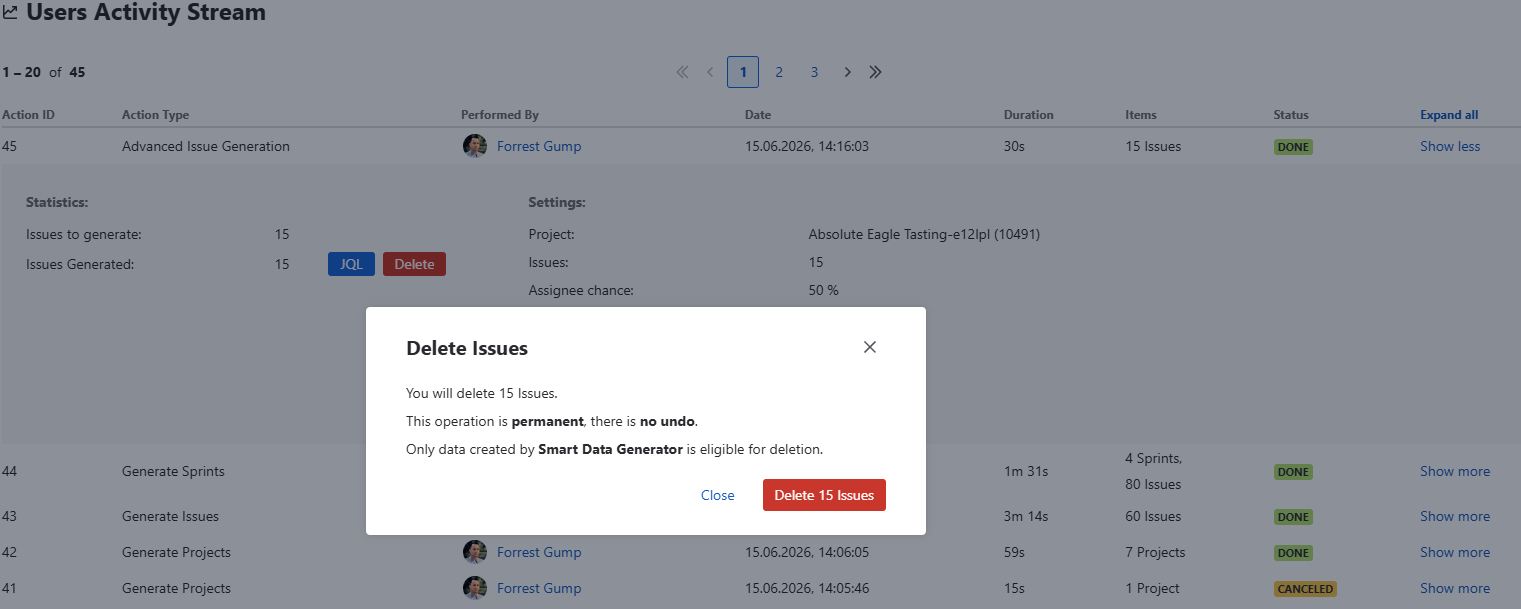
2. Delete by Project Type
Users may delete all projects generated by the application for a selected project category.
Deletion includes:
- the project itself
- all generated issues
- all generated sprints
- all components & versions
- all associated comments & worklogs
This method is useful when regularly resetting large demo or testing environments.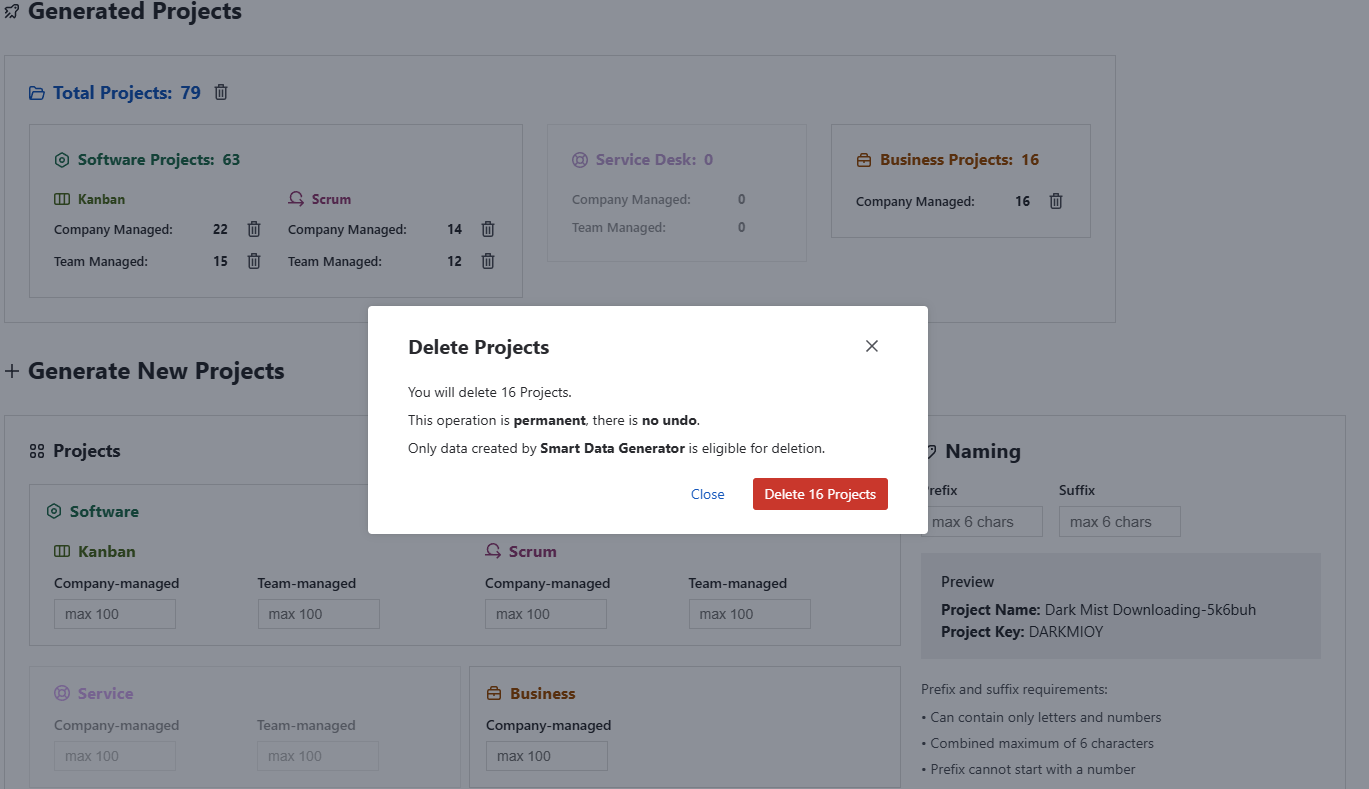
How Deletion Affects Usage and Limits
Deletion directly impacts the numbers displayed under Usage on the Dashboard:
For each category (Projects, Issues, Sprints):
- Active decreases
- Deleted increases
- Generated (Total) remains unchanged as a historical counter
Deletion does not reduce historical generation totals but ensures active limits are respected:
- Up to 50 active projects in INACTIVE mode
- Up to 1,000 active projects in ACTIVE mode
- Up to 20 issues per sprint, 20 sprints per board, etc.
If deleting objects brings the system back under a limit, the user may generate more data in future runs.
Permissions
Deletion requires:
- Administer Projects (for project-level deletions)
- Permission to delete issues or sprints when applicable
- Smart Data Generator access
Users without appropriate Jira permissions cannot delete generated data, even if it was created by the application.
Additional Notes
- Objects modified after generation are still eligible for deletion.
- Deletion cascades automatically and removes all related sub-objects (issues, comments, worklogs, sprints).
- Rovo-generated items appear in a separate Activity Stream section but behave identically during deletion.
- Large deletions may take more time depending on the number of involved objects.
- There is no undo — ensure you are certain before confirming.