Dashboard | Sprint Organizer Documentation
Dashboard documentation.
The Dashboard is the primary entry point for monitoring sprint activity in Sprint Organizer.
It provides an aggregated view of sprint status and recent activity, allowing users to quickly understand what is happening across the selected scope without browsing individual Jira boards.
When the Dashboard is opened, it displays Sprints belonging to the current space.
The Dashboard is intended for administrators, Scrum Masters, and project managers who need a quick overview of sprint execution.
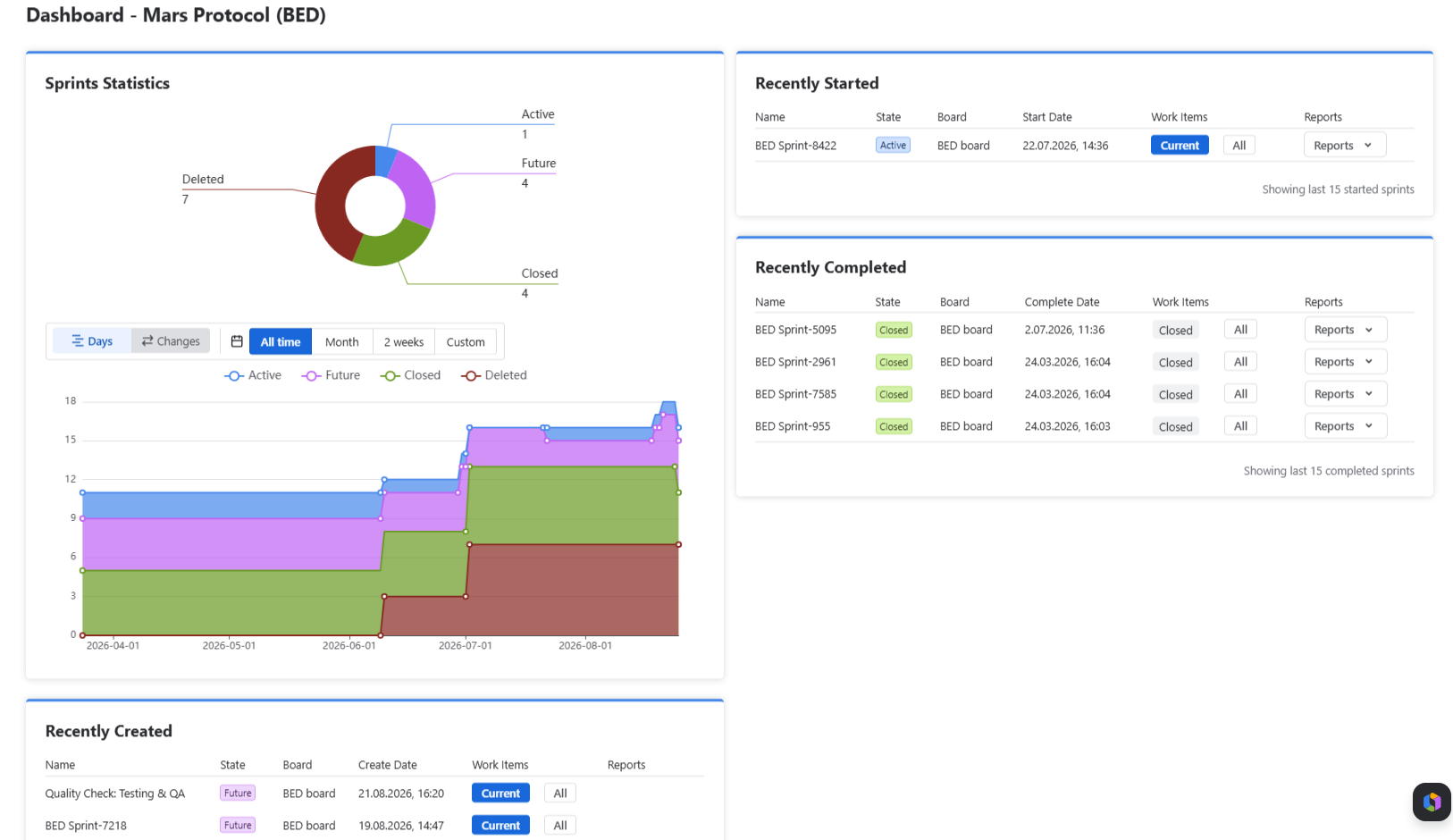 {.img-center .img-large}
Statistics
The Statistics section provides an overview of sprint distribution by state.
Available sprint states:
- Active
- Future
- Closed
- Deleted
Deleted sprints are tracked only from the moment Sprint Organizer is installed. Sprints deleted before installation are not included.
In addition to the current number of sprints in each state, the section also displays historical trends over time.
The chart can be viewed in two modes:
- Days – shows the total number of sprints in each state over the selected time range.
- Changes – shows sprint state changes that occurred during the selected time range.
Available time ranges:
- All time
- Month
- 2 weeks
- Custom
Widgets
The Dashboard contains widgets highlighting the most recent sprint activity.
Recently Started
Displays the most recently started Active sprints.
Information displayed:
- Sprint Name
- State
- Board
- Start Date
- Work Items
- Reports
Recently Created
Displays the most recently created sprints.
Information displayed:
- Sprint Name
- State
- Board
- Create Date
- Work Items
- Reports
Recently Completed
Displays the most recently completed sprints.
Information displayed:
- Sprint Name
- State
- Complete Date
- Board
- Work Items
- Reports
Available Actions
From the Dashboard you can:
- Open sprint details
- Navigate to sprint work items
- Open Jira sprint reports
- Switch to the complete Sprints page
Space Dashboards automatically limit displayed information to boards associated with the current space.
Data Refresh
Dashboard data is refreshed automatically as sprint information changes.
Some information, particularly Sprint Reporting custom fields, may appear with a short delay because Sprint Organizer updates sprint metadata asynchronously.