Sprints | Sprint Organizer Documentation
Sprints documentation.
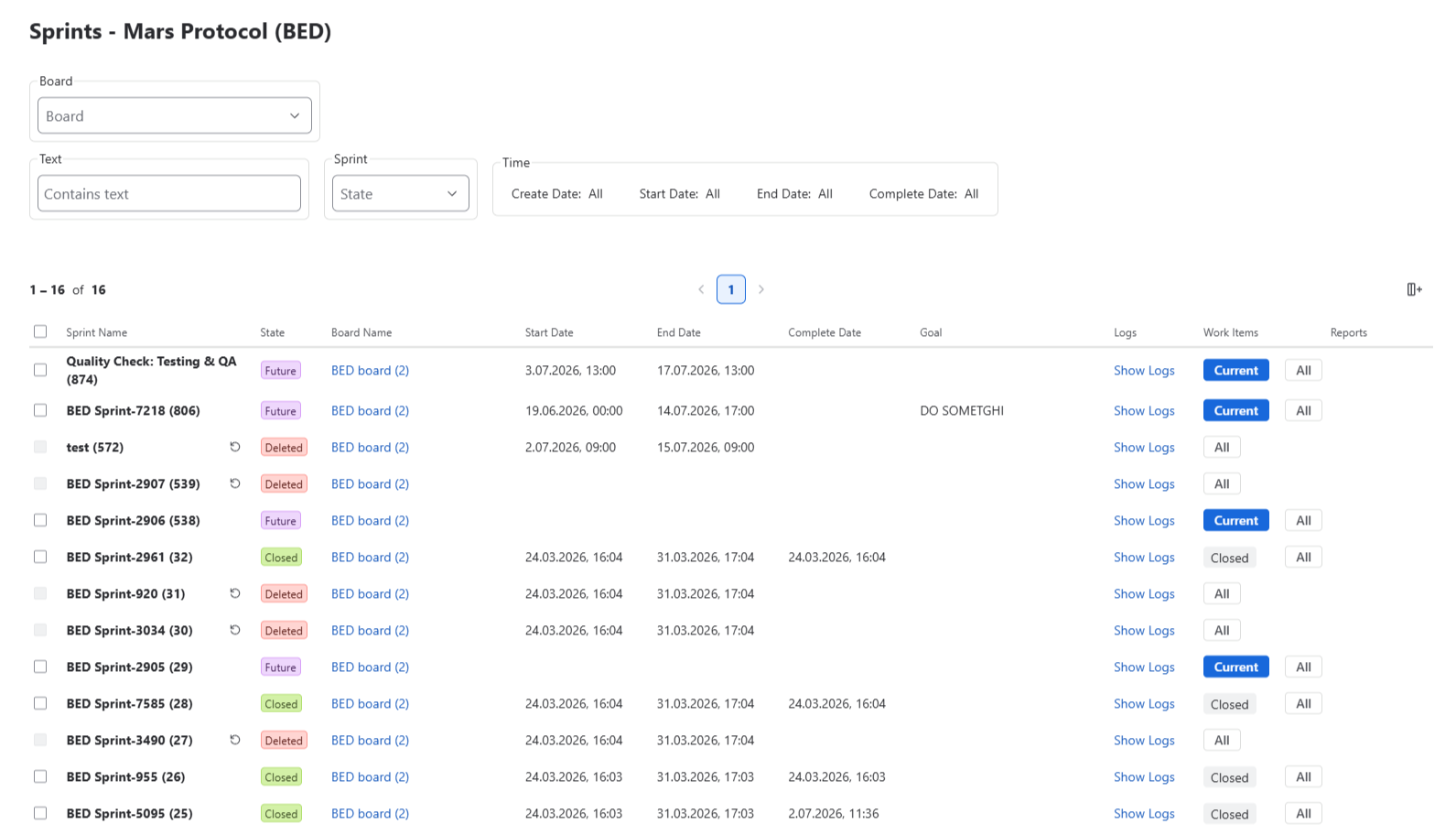
The Sprints page provides a complete view of all sprints available within the selected scope.
Unlike the Dashboard, which focuses on summarizing sprint activity, the Sprints page is designed for exploring, filtering, and analyzing sprint information in detail. It allows users to quickly locate specific sprints, compare their properties, and navigate to related Jira resources.
When the page is opened, it displays Sprints belonging to the current space.
 {.img-center .img-large}
Sprint List
Each sprint is displayed as a row in the sprint table.
By default, the table includes:
- Sprint Name
- State
- Logs
- Work Items
- Reports
Additional columns can be enabled:
- Space
- Board Name
- Goal
- Create Date
- Start Date
- End Date
- Complete Date
Filtering & Search
The Sprints page supports advanced filtering to help locate relevant sprints.
Available filters include:
Space
- Space Type
- Space
- Board
Sprint State
- Active
- Future
- Closed
- Deleted
Time
Filter by:
- Create Date
- Start Date
- End Date
- Complete Date
using a selected date range.
Text Search
Search by sprint name or other indexed sprint information.
Not visible on the list

The Not visible on the list section is displayed only to Jira administrators and Space administrators. It summarizes elements that are not shown on the list. If there are no hidden elements, this section is not displayed.
This space
- Private boards — the number of private boards in the current space. Sprints from these boards are not visible on the list unless they are also accessible through another board in the same space.
- Sprints from deleted boards — sprints whose origin boards were deleted from the current space but which are still associated with work items accessible through its existing boards.
Out of space
- Sprints from deleted boards — sprints whose origin boards belonged to other spaces and have been deleted, but which are still associated with work items accessible through boards in the current space.
- Sprints from existing boards — sprints whose origin boards still exist but belong to another space.
- Sprints from unknown space — sprints for which the app has no information about the associated space.
Available Actions
From the Sprints page you can:
- Browse all available sprints
- Search and filter sprint data
- Open sprint audit logs
- Navigate to sprint work items
- Open Jira sprint reports
- Customize visible table columns