Statuses Layout | Dependency Governance Documentation
Statuses Layout documentation.
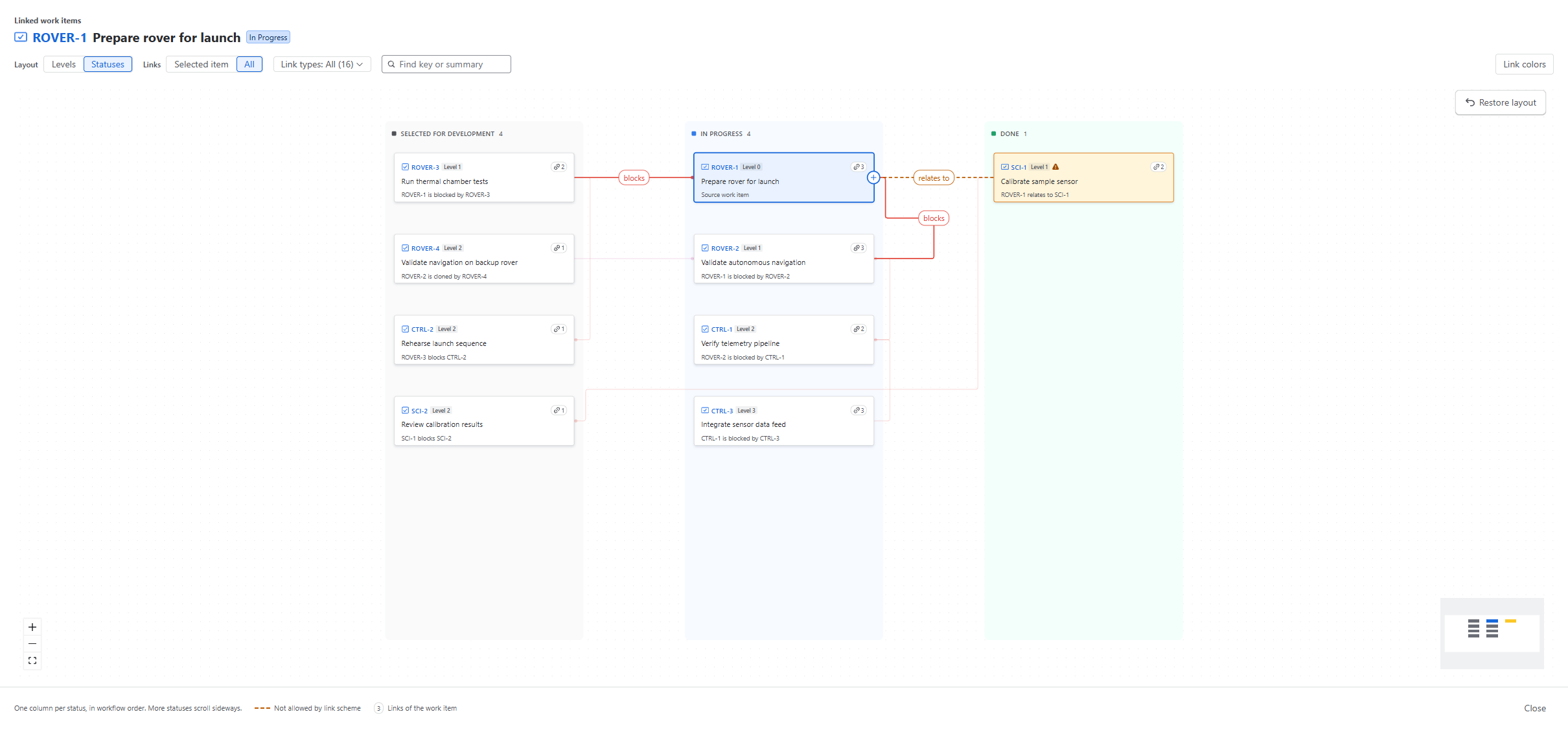
The Statuses layout arranges linked work items by their current status. It helps you see, for example, which blockers are still open and which are done.
How Work Items Are Arranged
- Work items are arranged in columns, one for each status.
- Links are drawn as lines between work items.
- Each line has a label with the link type, in the link type color.
- Each work item shows how many links it has.
Links Shown
Use the Links switch in the toolbar:
- Selected item — shows only the links of the selected work item.
- All — shows all links, faded, with the links of the selected work item highlighted.
Click a work item to select it.
Editing a Link from the Canvas
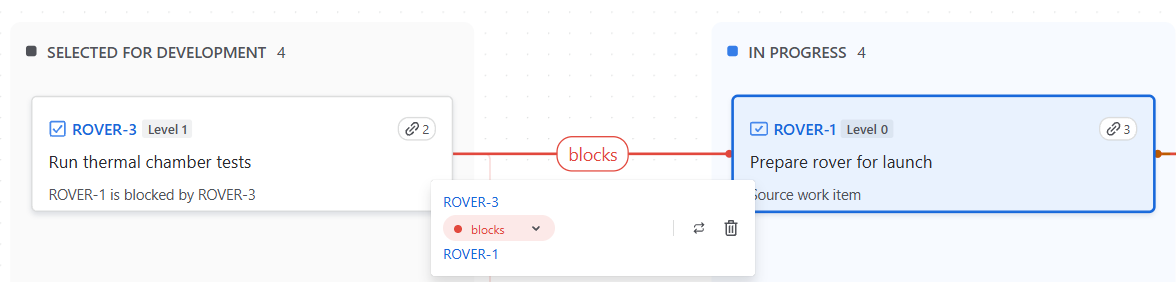
Click the label on a link line. A small Edit link dialog opens with the link type, Swap direction and Remove link.
Not Allowed Links
Not allowed links are shown as dashed orange lines, the same as in the Levels layout.
Fix not allowed links mode is available only in the Levels Layout. Opening the Visualizer from the ⚠ N not allowed chip always starts in the Levels layout.