Import Helper | Dependency Governance Documentation
Import Helper documentation.
The Import Helper prepares a configuration file from another Jira site for import.
Link types are identified by internal IDs, which usually differ between sites – even when the link names are the same. The Import Helper matches links by their inward and outward descriptions (e.g. blocks / is blocked by) and generates a file with IDs from the current site.
When to Use It
Use the Import Helper before the Import Manager when:
- the file was exported from a different Jira Cloud site
It is not needed when restoring a backup on the same site.
Where It Is Available
- Export & Import → Import Helper
Using the Import Helper
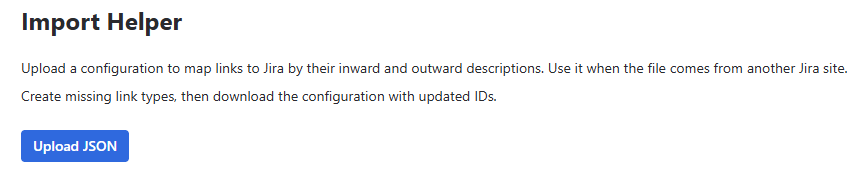
- Go to Import Helper
- Click Upload JSON and select the configuration file
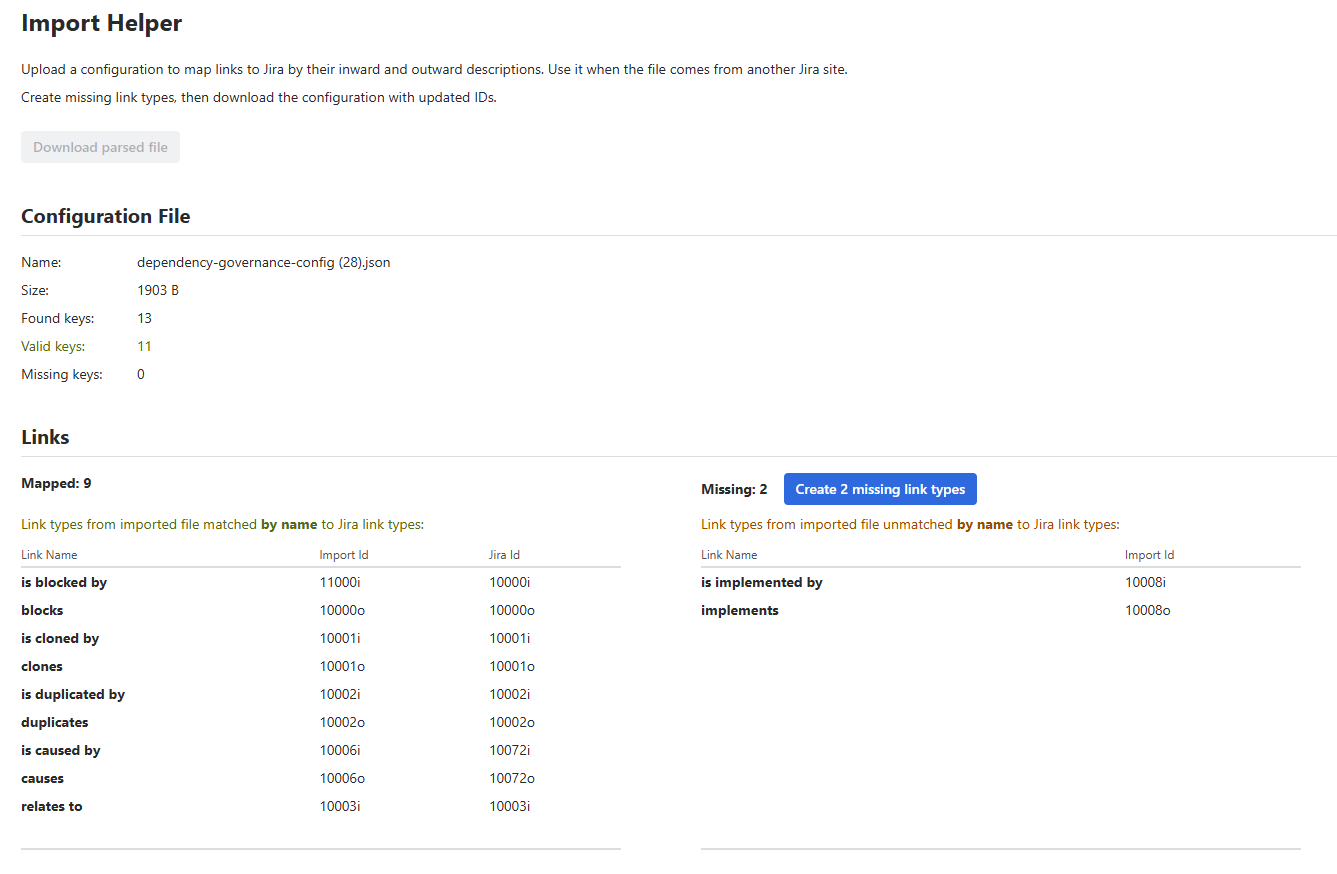
- Review the Configuration File section – name, size, found / valid / missing keys
- Review the Links section, split into two tables:
| Table | Columns | Meaning |
|---|---|---|
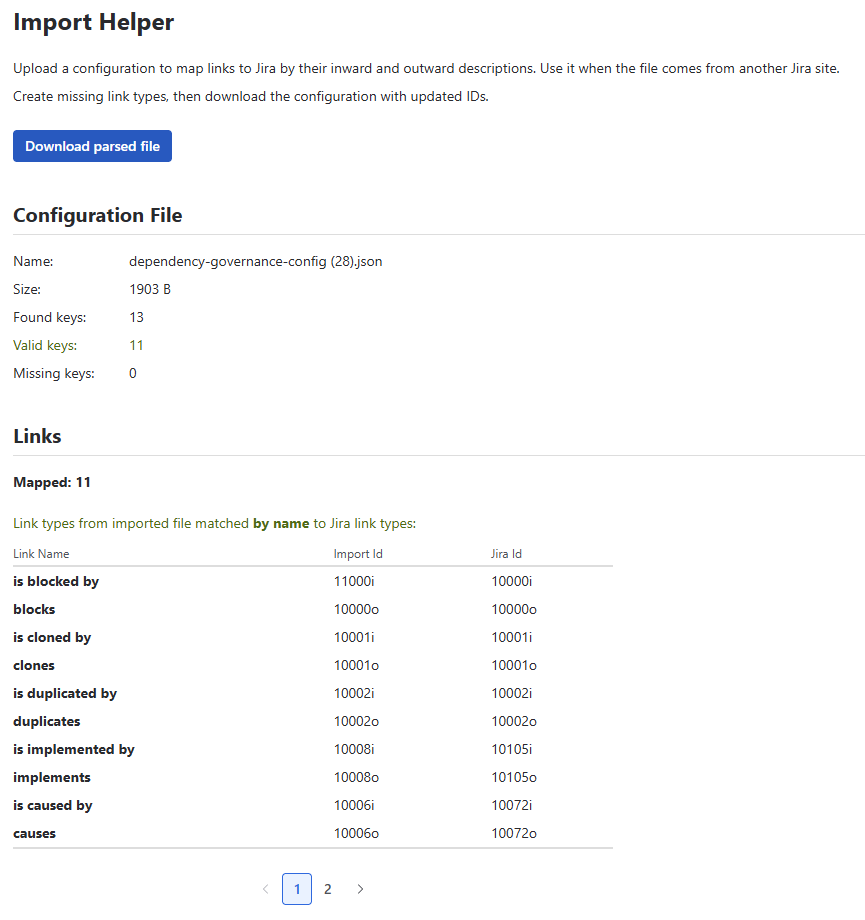
| Mapped | Link Name, Import Id, Jira Id | Links from the file matched to link types on the current site |
| Missing | Link Name, Import Id | Links from the file with no matching link type on the current site |
If there are missing links, create them:
- Click Create N missing links
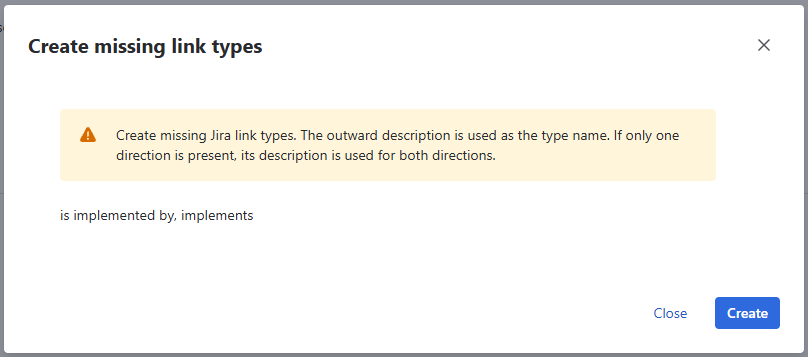
- The Create missing links dialog lists the link types to be created
- Click Create – the link types are added to Jira and the links are mapped
Created link types are named as follows:
- the outward description is used as the link type name
- if the file contains only one direction, its description is used for both inward and outward
When all links are mapped, click Download parsed file
Import the downloaded file with the Import Manager
ℹ️ Download parsed file is available only when all links are mapped.
Notes
- The Import Helper does not change the Dependency Governance configuration – it only generates an updated file
- Create missing links adds new link types to Jira – they are visible in Jira settings → Work item linking and available to all spaces
- Matching is based on the link's inward and outward descriptions
- Matching is not case-sensitive (e.g. Blocks and blocks are matched)
Permissions
- Jira administrator permissions