Sprints | Sprint Organizer Documentation
Sprints documentation.
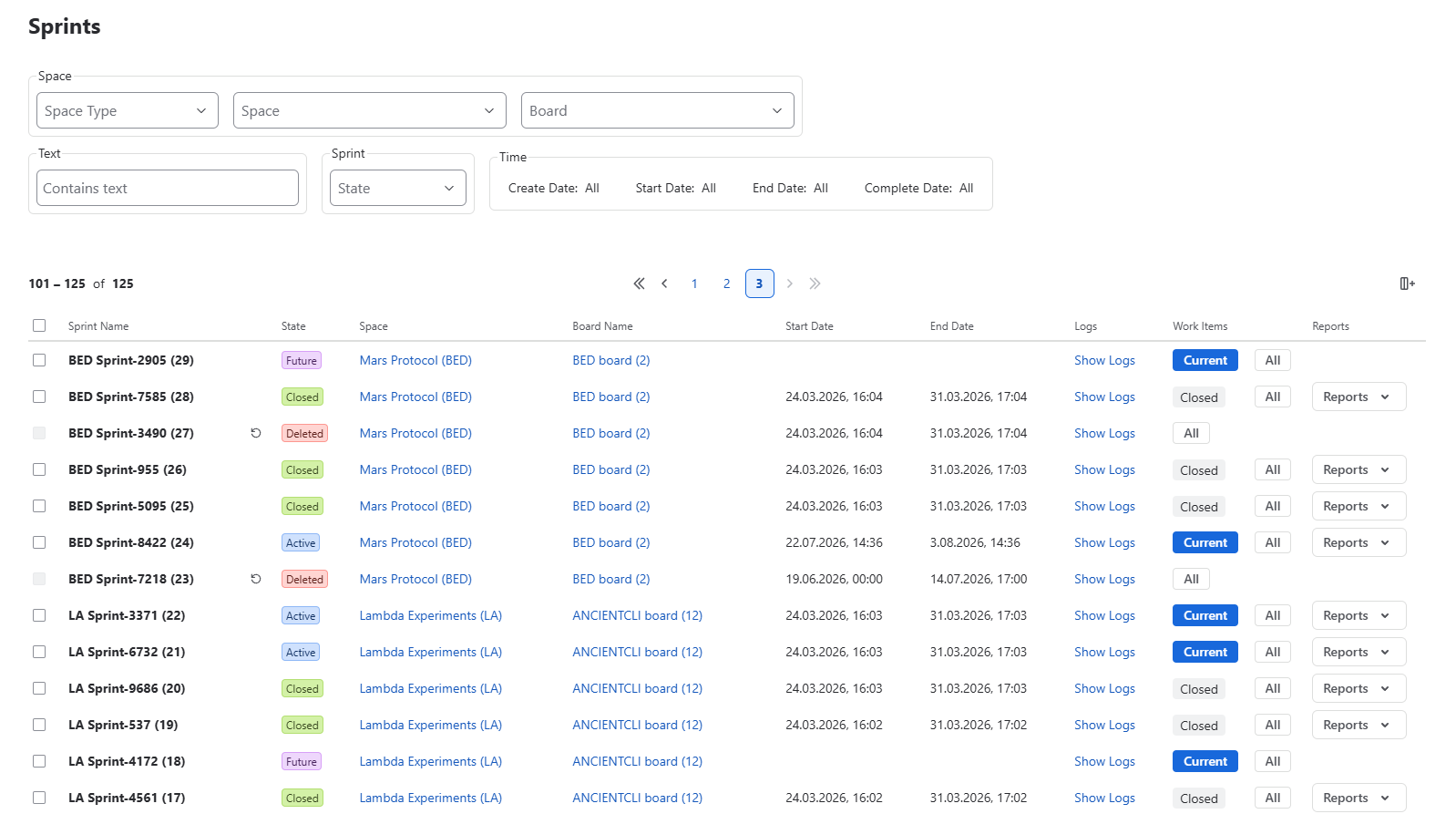
The Sprints page provides a centralized view of every sprint available across your Jira instance.
Unlike the Dashboard, which offers a high-level overview of sprint activity, the Sprints page is designed for detailed exploration and analysis. It enables administrators to browse, search, filter, and compare sprint information across spaces and boards from a single location.
The page is particularly useful when investigating sprint history, validating sprint configuration, locating specific sprints, or reviewing planning activity across multiple teams.
Only sprints the current user is permitted to access are displayed.
 {.img-center .img-large}
Sprint List
Each sprint is presented as a row in the sprint table.
By default, the following information is displayed:
- Sprint Name
- State
- Logs
- Work Items
- Reports
Additional columns can be enabled to provide more context:
- Space
- Board Name
- Goal
- Create Date
- Start Date
- End Date
- Complete Date
The table can be customized to display only the information relevant to your current investigation or reporting needs.
Filtering & Search
The Sprints page includes advanced filtering capabilities that allow administrators to quickly locate specific sprint records.
Space
Limit results by:
- Space Type
- Space
- Board
Sprint State
Filter sprints by their current lifecycle state:
- Active
- Future
- Closed
- Deleted
Time
Display sprints matching a selected date range using one of the following properties:
- Create Date
- Start Date
- End Date
- Complete Date
Text Search
Search sprints by name or other indexed sprint information.
Combining multiple filters makes it easy to narrow large sprint collections to only the records relevant to the current task.
Available Actions
The Sprints page supports a variety of administrative and reporting tasks.
From this page you can:
- Browse every accessible sprint
- Search and filter sprint data
- Customize visible columns
- Review sprint properties
- Open Sprint Audit Log entries
- Navigate directly to sprint work items
- Open Jira sprint reports
The page acts as the primary workspace for exploring sprint information across the Jira instance.